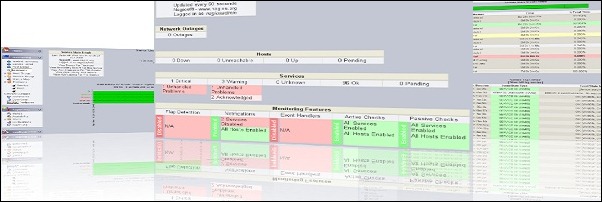
How to install the Nagios Mobile interface to display the network status directly on your mobile phone.
Keeping the network up and running is the main duty of every system administrator and with Nagios is possible to have all the info directly on mobile devices.
Prerequisites
- Linux CentOS 6 minimal
- Working Nagios environment
- Nagios Mobile web interface
Procedure
From the Nagios Frontend web page, download the Nagios Mobile interface you like and unpack it.
# wget http://assets.nagios.com/downloads/exchange/nagiosmobile/nagiosmobile.tar.gz
# tar –vxzf nagiosmobile.tar.gz
# cd nagiosmobile

Edit the include.inc.php file and set the files path to match the correct location.
$STATUS_FILE  = "/var/nagios/status.dat";
$COMMAND_FILE = "/var/nagios/rw/nagios.cmd";
$CGI_FILE = "/etc/nagios/cgi.cfg";
$OBJECTS_FILE = "/var/nagios/objects.cache";
$BASE_URL = '/nagiosmobile';
$TTL = 30;
$USER = '';
# vi include.inc.php

Edit the INSTALL.php file and set the target directory for the installer.
//target directory where nagiosmobile's web files will be stored
define('TARGETDIR',"/usr/local/nagiosmobile");
# vi INSTALL.php

Run the installer.
# ./INSTALL.php

Edit the configuration file /etc/httpd/conf.d/nagiosmobile.conf and set the directory location of your htpasswd.users file.
AuthUserFile /etc/nagios/htpasswd.users
# vi /etc/httpd/conf.d/nagiosmobile.conf

To access the Nagios Mobile web interface, from your browser type the address:
http://IP_server/nagiosmobile

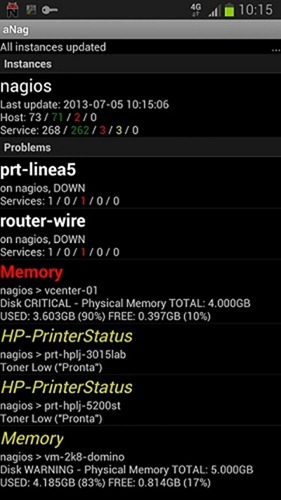
To access Nagios system using mobile devices like Android and iPhone, you can find some useful apps directly on their stores. In this example the screenshot has been taken from the Android app aNag.
To access your Nagios system from outside you can use the VPN connection or, better solution, a dedicated Public IP.