

With the availability of its latest release, upgrading to Veeam Appliance 13.1 is recommended to take advantage of new features and fixes.
If you are currently running Veeam Appliance 13, upgrading to version 13.1 is a straightforward process that requires only a few simple steps.
Veeam Appliance 13.1 upgrade
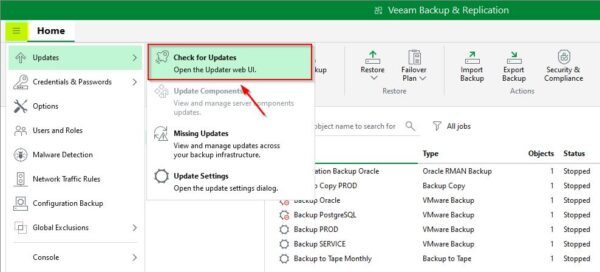
Log in to the Veeam Console using administrator credentials, then navigate to Settings > Updates > Check for Updates.
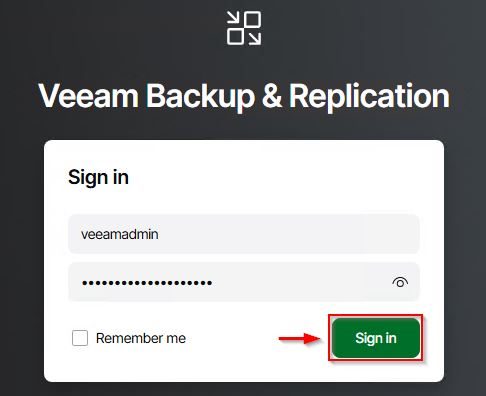
You will be prompted to log in to the Veeam Updater. Enter your administrator credentials and click Sign in.
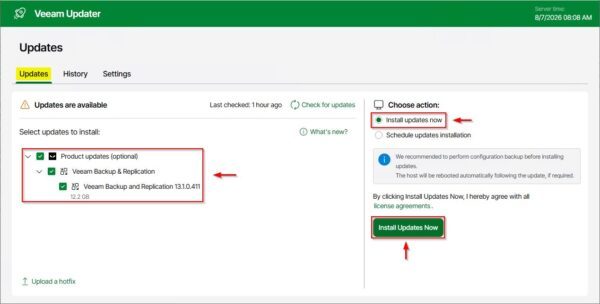
Select the available upgrade to version 13.1, check the Install updates now option, and click Install Updates Now.
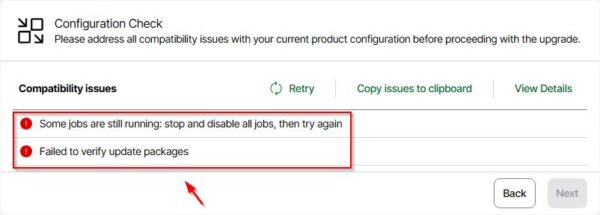
Ensure no backup jobs are running on the appliance prior to upgrading, as active jobs will prevent the installation from completing.
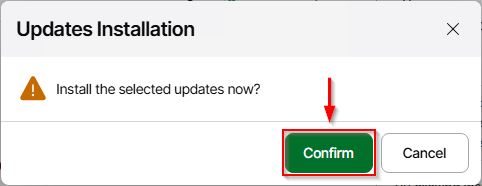
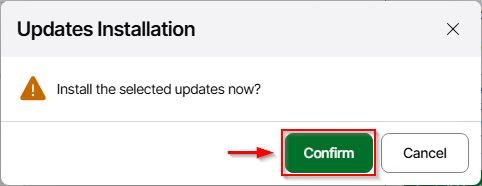
Click Confirm to install the updates.
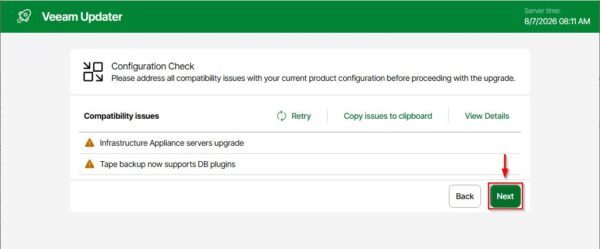
Once the Configuration Check completes with no issues, click Next.
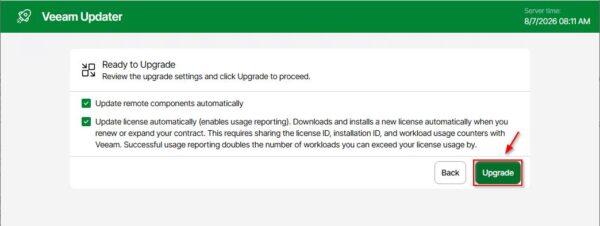
Click Upgrade to begin the process.
The upgrade takes place.
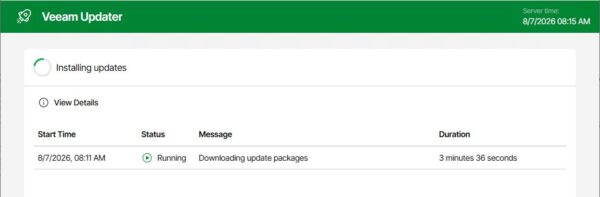
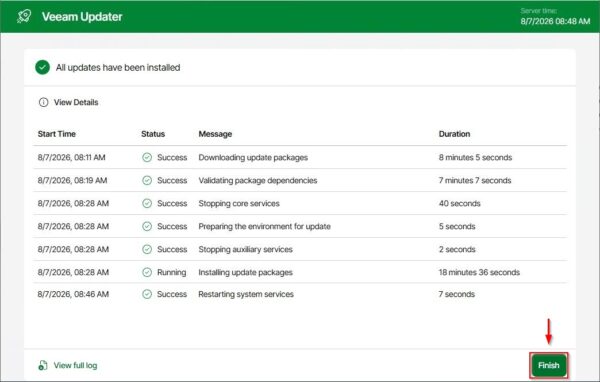
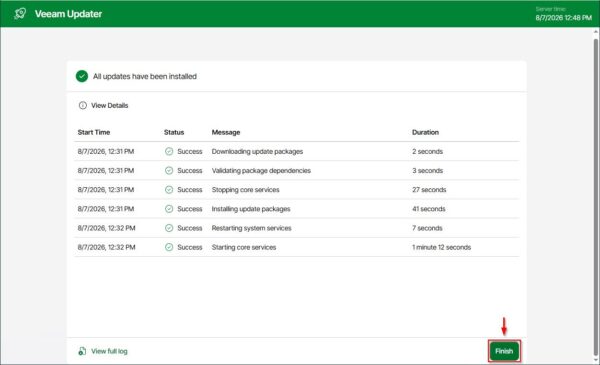
After a short period, the installation will finish. Click Finish to exit.
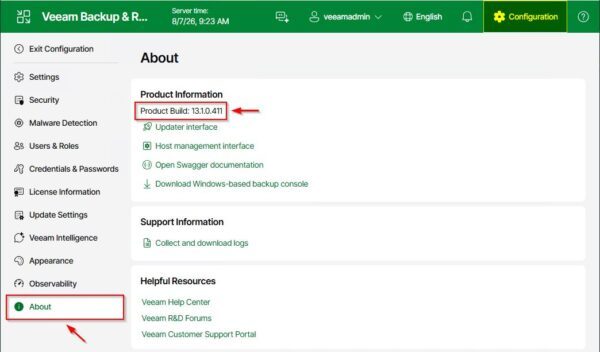
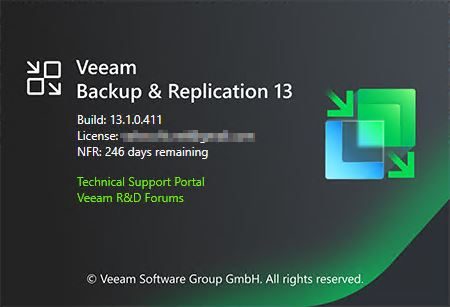
Navigate to the About section of the Veeam Appliance to verify that the installed version reads 13.1.0.411.
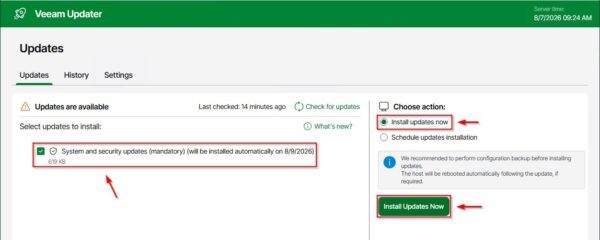
At the time of writing, accessing the Veeam Updater once again reveals an additional security update. Select the Install update now option and click Install Updates Now.
Click Confirm to proceed.
Once completed, click Finish to exit.
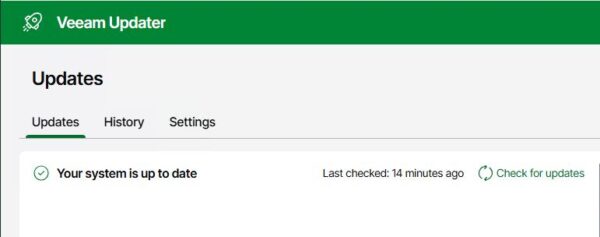
The system is now up to date.
Upgrade the Veeam Console
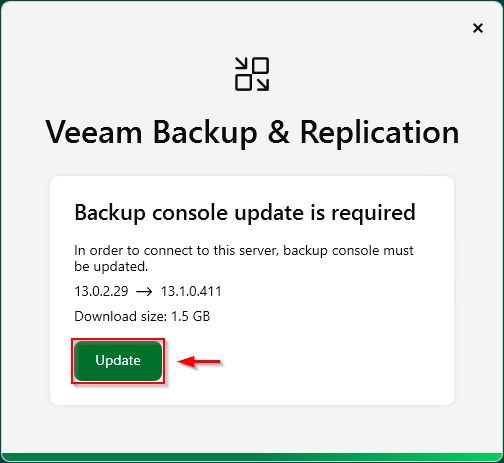
Once the Veeam Appliance 13.1 upgrade has been completed, the Veeam Console must also be updated to match the same version. Fortunately, the console update process is automatic and triggers the next time you try to access the Veeam Console.
When the system automatically prompts you to update the console, click Update to proceed.
The Veeam Console is being updated.
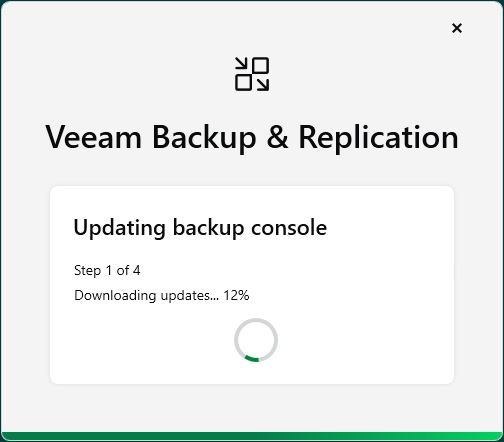
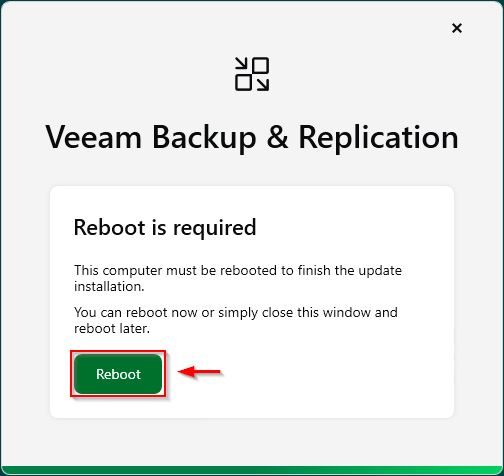
Once the upgrade completes, click Reboot to restart the server.
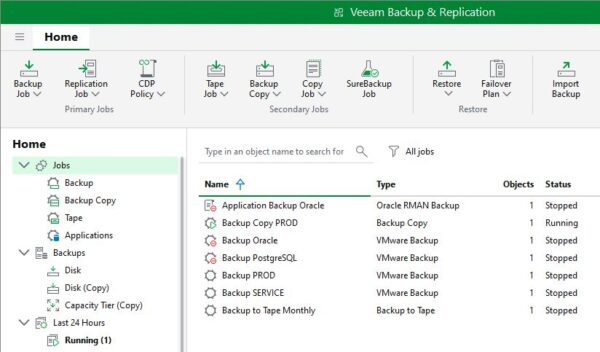
After the update is applied, login to the Veeam Console.
Checking the installed version confirms that the Veeam Console now shares the exact build number as the appliance.
Veeam Backup & Replication Appliance is now updated to version 13.1 in just a few clicks.


