
Veeam Backup & Replication v13 introduces the High Availability Cluster, which allows you to keep the backup infrastructure alive in case one Backup Server fails.
Before proceeding with the configuration, it is important to be aware of the limitations of the HA cluster.
Blog series
How to configure the Veeam High Availability Cluster - pt.1
Veeam High Availability Cluster: failover and automation - pt.2
Veeam High Availability Cluster: switchover and disassemble - pt.3
Prerequisites
To configure a working Veeam High Availability Cluster, you need the following:
- Linux-based Veeam Backup Server - the configuration of the HA cluster works only with the Linux appliance version of the Veeam Backup Server. A mixed cluster with Windows and Linux Backup Servers is not supported. If a Veeam appliance is already configured and in use in the backup infrastructure, you can deploy a new appliance to use as a secondary node. Keep in mind that local repositories cannot be used within the HA cluster.
- Veeam version - both nodes must have the same Veeam version installed before creating the HA cluster.
- Veeam Backup console - to manage the HA cluster, the Veeam console installed on a Windows machine is required.
- DNS Server - the cluster, primary node and secondary node must be defined in the DNS records in both forward and reverse zones.
- Layer 2 network - both nodes must reside in the same subnet (layer 2) to establish proper communication.
- License - the Veeam Data Platform Premium License is required to create the HA cluster.
How Veeam High Availability cluster works
Once the HA cluster has been created, Veeam leverages a PostgreSQL function to establish which is the primary and which is the secondary node of the cluster. Then, the synchronization between the HA nodes takes place. Changes in the Veeam configuration are always written to the primary node first and then replicated to the secondary node.
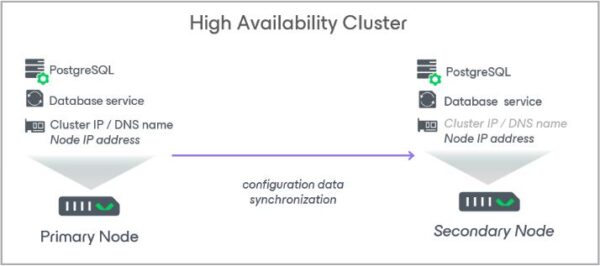
If the secondary node goes offline for more than 10 minutes, a warning is displayed on the notification bar of the primary node and an email alert is sent to the address specified in the global email notification settings. Another email will be sent once the secondary nodes comes back online.
Upgrading the HA cluster
Veeam leverages the Veeam Updater service to upgrade the HA cluster. During the upgrade operation, the primary node is upgraded first then the updates are synchronized with the secondary node. Automatic updates on the secondary node are disabled.
Updates available in the secondary node are compared with the updates installed on the primary node, and then only the necessary updates are installed on the secondary node.
This article has been written for StarWind blog and can be found in this page. It covers the full procedure to configure the Veeam High Availability Cluster.
Connect to the High Availability Cluster
Once the HA cluster has been created, you must access the infrastructure management by entering the DNS HA cluster name in the Veeam Console. Click Connect.

Click Yes to accept the certificate.

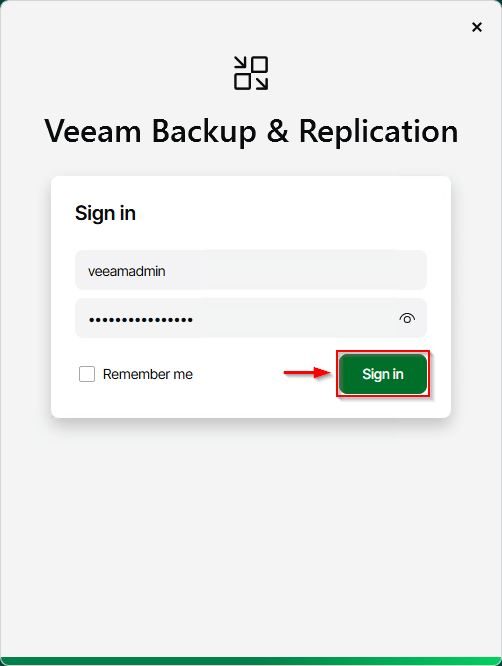
Enter the credentials and click Sign in.
The Veeam Backup & Replication v13 main dashboard.
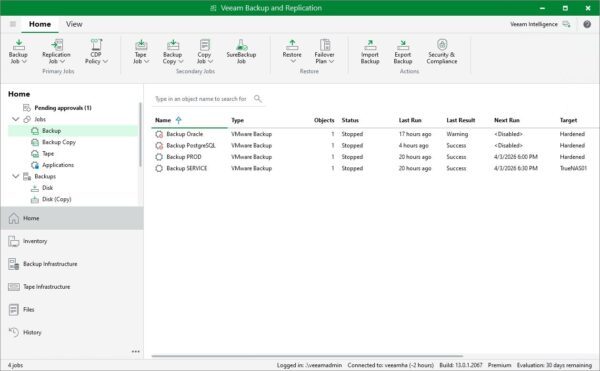
With the Veeam Backup Server in HA mode, you have the opportunity to quickly recover the backup infrastructure functionality if anything goes wrong with the primary node.
Part 2 will cover the manual failover procedure and the configuration required to trigger the failover operation automatically using Veeam ONE.
Read the full article on StarWind blog.