


When a Veeam High Availability Cluster is created, several tasks are available to maintain correct functionality, such as switchover and disassemble.
Depending on the maintenance typology you need to perform on your HA Cluster, every operation is safe and doesn't impact on the service functionality.
Blog series
How to configure the Veeam High Availability Cluster - pt.1
Veeam High Availability Cluster: failover and automation - pt.2
Veeam High Availability Cluster: switchover and disassemble - pt.3
Rescan
The rescan operation may be required if the Secondary Node has not synchronized with the Primary Node for an extended period. The system performs a rescan operation every 4 hours.
During a rescan, Veeam Backup & Replication pulls Primary Node infrastructure data from the configuration database and synchronizes it with the Secondary Node.
To force synchronisation, right click the Primary Node and select Rescan.
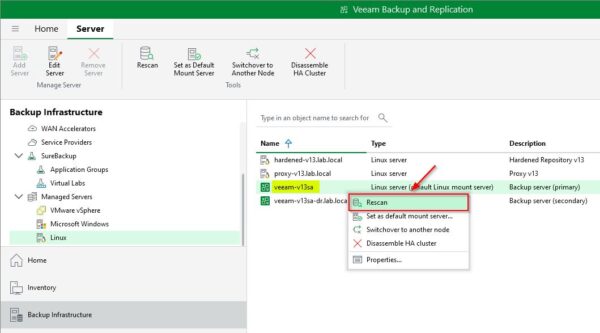
The rescan operation is executed and completed successfully.
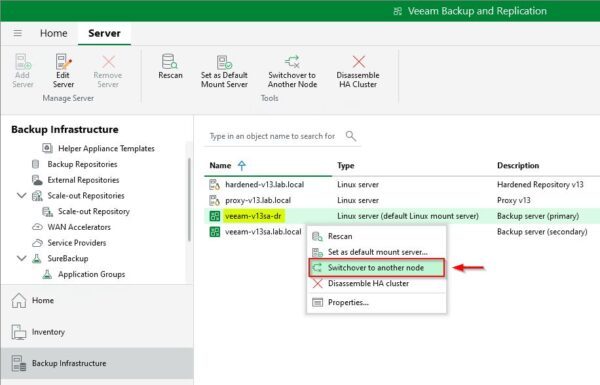
This article has been written for StarWind blog and can be found in this page. It covers the complete procedure for performing switchover and disassemble operations on the HA Cluster.
Disassemble
The disassemble operation is used to dismiss a Veeam High Availability Cluster when it is no longer required or to fix issues with the Secondary Node. When the disassemble task is launched, the Primary Node removes the configuration database from the Secondary Node and stops synchronizing.
The secondary node cannot be used as a standalone Backup Server after you disassemble an HA cluster.
When the procedure is complete, the HA cluster is disassembled and the Secondary Node removed.
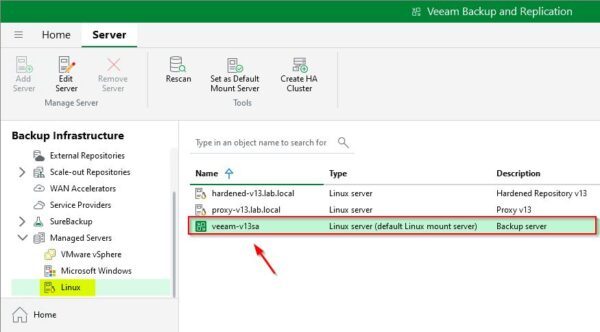
Several tasks can be performed to maintain a Veeam High Availability Cluster to avoid service disruption and ensure the highest level of protection.
Veeam Backup & Replication is available to download as 30-day trial.
Read the full article on StarWind blog.


