Veeam has released a new Veeam v12.3.2.4165 patch to resolve some security vulnerabilities.
Installing this patch is strongly recommended to mitigate potential critical security risks.
Resolved vulnerabilities
This patch addresses the following vulnerabilities:
- CVE-2025-48982 - Severity: High | CVSS v3.1 Score: 7.3
- CVE-2025-48983 - Severity: Critical | CVSS v3.1 Score: 9.9
- CVE-2025-48984 - Severity: Critical | CVSS v3.1 Score: 9.9
Apply the Veeam v12.3.2.4165 patch
The procedure for applying Veeam v12.3.2.4165 patch is straightforward. You need to download either the .EXE or .ISO file, depending on your current Veeam version, and follow the installation instructions.
Veeam Backup & Replication v12.3.2 (build 12.3.2.3617)
This patch is intended only for patching existing deployments of Veeam Backup & Replication 12.3.2 (build 12.3.2.3617).
All previous versions, including 12.3.0 and 12.3.1, must use the full ISO to upgrade.
Upgrading to 12.3.2.4165 From a previous version
To upgrade from a previous version of Veeam Backup & Replication (including 11a, 12, 12.1, 12.2, 12.3.0, and 12.3.1), you must use the latest Veeam ISO.
Install the patch
The direct upgrade of Veeam takes few minutes to complete.
Double click the .EXE file and click Next.

Click I accept.

Click Install.

The patch is being installed.
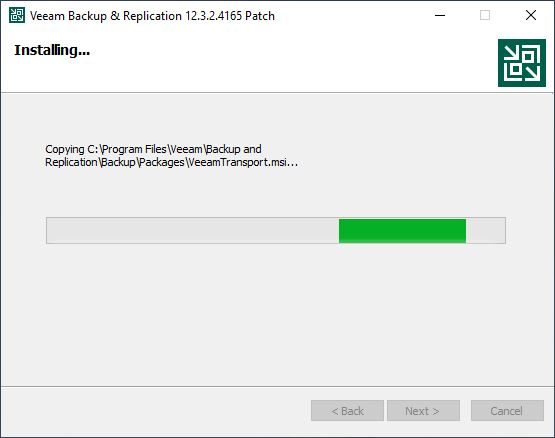
After a few minutes, the installation will complete. Click Finish to exit the wizard.

After applying the patch successfully, your build number will be 12.3.2.4165.

Additional info about Veeam v12.3.2.4165 patch can be found in the KB 4771.