When attempting to remove or upgrade an NVIDIA VIB on VMware ESXi, the operation may fail with a "Device or resource busy" error.
This typically occurs during an upgrade cycle, when updating the NVIDIA driver to match the compatibility matrix after an ESXi host has been upgraded from 7.0.2 to 8.0.3.
Uninstalling the NVIDIA VIB
To identify and remove the existing NVIDIA VIB, run the following command via SSH:
# esxcli software vib list > grep -i NVD

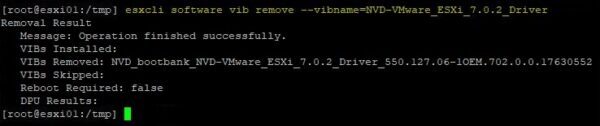
Once you have identified the correct VIB to remove (NVD-VMware_ESXi_7.0.2_Driver in the example), run the following command to delete the driver:
# esxcli software vib remove --vibname=NVD-VMware_ESXi_7.0.2_Driver
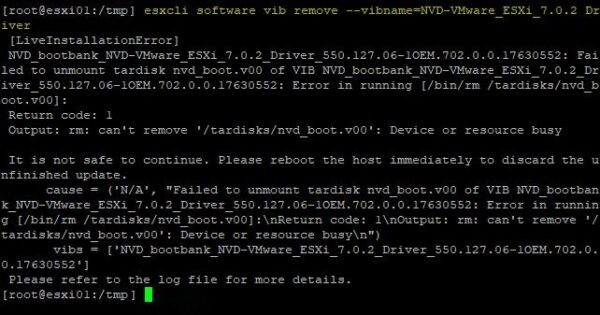
The operation fails with a LiveInstallationError where the system points out the /tardisk/nvd_boot.v00 cannot be removed because the "Device or resource busy" error occurs.
In the reported error, it suggests rebooting the host to release the device or resource.
# reboot

Unfortunately, even rebooting the host does not fix the issue.
Fix the "Device or resource busy" error
When reviewing the VIBs installed on the ESXi host, nvdGpuMgmtDaemon is listed as part of the NVIDIA installation.
The issue occurs because the nvdGpuMgmtDeamon service must be stopped in order to remove the VIB. Run the following command:
# /etc/init.d/nvdGpuMgmtDaemon

After stopping this service, try to uninstall the VIB again. This time the NVIDIA VIB is removed successfully.
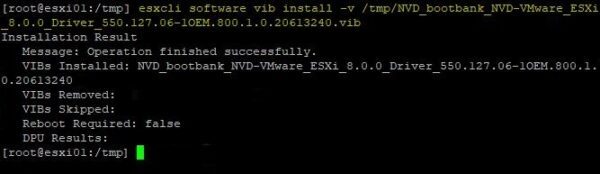
You can then finalize the installation of the new NVIDIA VIB compatible with VMware vSphere 8.0.
# esxcli software vib install -v /tmp/NVD_bootbank_NVD-VMware_ESXi_8.00_Driver
Older NVIDIA versions may cause this issue when uninstalling the VIB from the ESXi host. Stopping the nvdGpuMgmtDaemon service allows the VIB removal to complete successfully.