In a Proxmox environment, you may need to extend root partition if it runs out of space.
To do this, you must first allocate additional storage on the hypervisor and then configure the system to perform the necessary operations.
During a Proxmox upgrade procedure, you may encounter failures caused by insufficient disk space on the root partition, preventing the upgrade from completing successfully
Select the Proxmox node to upgrade then go to Updates section. Click Upgrade to install all available updates.

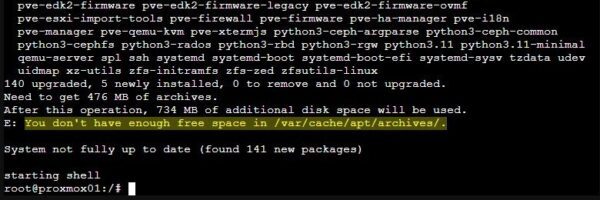
The upgrade operation fails with an error due to insufficient disk space:
You don't have enough free space in /var/cache/apt/archives/
To resolve this issue, you must extend root partition by allocating additional disk space.
This article has been written for StarWind blog and can be found in this page. It covers the full procedure to extend root partition in Proxmox.
Extend root partition
After following the procedure shown, verify that the root partition has been successfully extended.
# df -H
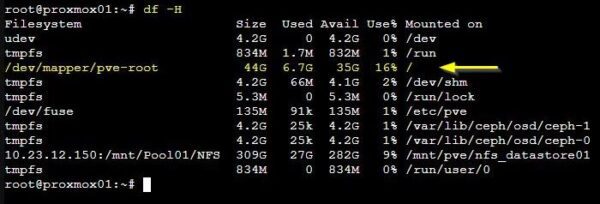
The Proxmox node can now be upgraded without any issue related to disk space.

When modifying the root partition, ensure all commands are executed carefully to prevent service interruptions or, in extreme cases, complete system failure.
Read the full article on StarWind blog.