Since Windows Server Core is a stripped down version that doesn't provide the graphical interface, the installation of VMware Tools can be tricky.
In VMware vSphere, each Windows Server requires the installation of VMware Tools, especially if you have configured the VMXNET 3 adapter type as network adapter.
Install VMware Tools in Windows Server Core
From the vSphere Client click the Install VMware Tools link. As you may notice, VMware Tools are not installed in the selected server.
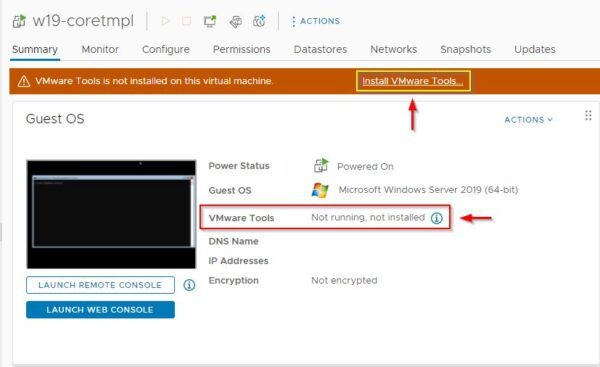
Click Mount to mount the installation CD in the Windows Server Core.

From the Windows Core Server, run the following commands to identify the letter of the installation CD. In the example the CD is identified with the letter D.
C:\> diskpart
DISKPART> list vol

Once the drive letter has been identified, exit from diskpart.
DISKPART> exit

Type the CD drive letter to access the drive. Use the dir command to display available files.
C:\> D:
C:\> dir

Run the setup.exe file to install VMware Tools. This will launch the VMware Tools Setup wizard.
D:\> setup.exe

The graphic VMware Tools Setup wizard is displayed. If you can't see the wizard just minimize the Command Prompt window. Click Next to continue.
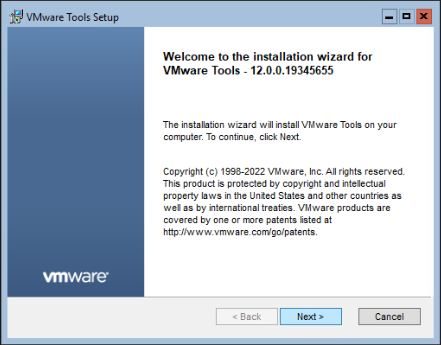
Select the desired setup type then click Next.

Click Install.

VMware Tools are being installed to the Windows Server Core.

When the installation has been completed, click Finish to exit the wizard.
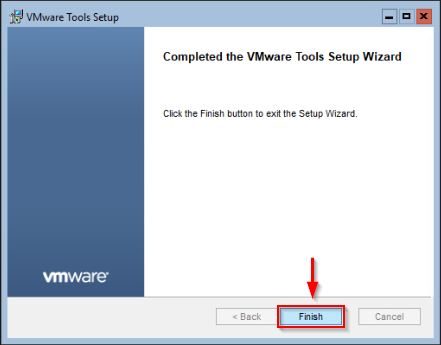
Click Yes to reboot the server.

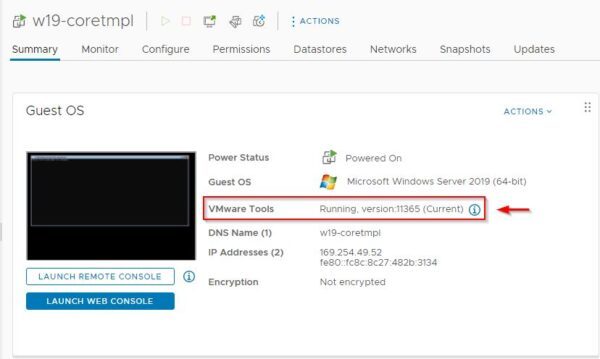
VMware Tools are now properly running in the Windows Server.
With this simple procedure, VMware Tools can be easily installed to Windows Server Core versions. This procedure works for both 2016 and 2019 Windows Server Core versions.