StarWind Virtual HCI Appliance (vHCI) is a software solution designed for hyperconverged storage scenarios that require high availability.
vHCI basically is a virtual machine and/or a software that can be deployed to your server running VMware vSphere or Microsoft Hyper-V exposing standard protocols like iSCSI, SMB, NFS, and others.
Designed for hyperconverged storage purposes, StarWind Virtual HCI Appliance is similar to the StarWind Hyper Converged Appliance.
System Requirements
Before deploying StarWind Virtual HCI Appliance, make sure the chosen server meets the system requirements.
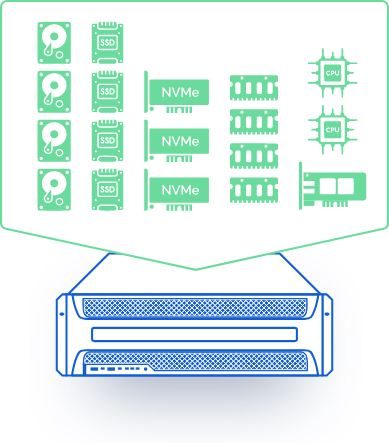
- CPU - 4 vCPU minimum with 1.7 GHz processors reserved
- RAM - 4GB. An appropriated amount of RAM should be configured if cache is used.
- Network - Heartbeat failover strategy: 2x NICs (1xStarWind Synchronization and 1xiSCSI traffic/Heartbeat) + 1x NIC (Management/Heartbeat). Keep one heartbeat interface on a separate and redundant NIC. Node Majority failover strategy: 2x NICs (1xStarWind Synchronization and 1xiSCSI traffic) + 1x NIC (Management/Witness node)
- Bandwidth - 1GbE or higher bandwidth with latency <5 ms are required for synchronous replication.
- Hypervisor - VMware vSphere v5.5 or later is supported.
- Storage - 20 GB virtual disk for OS. Keep StarWind virtual disks on different partition from the StarWind installation disk. Use the Thick Provision Eager Zeroed format for virtual disks or configure the HBA/RAID controller in pass-through to the VM.

Check out this KB article to configure the recommended RAID settings.
StarWind Virtual HCI Appliance use cases
There are three main use case scenarios where an organization can take benefit of the StarWind Virtual HCI Appliance:
- If an organization wants to keep its existing infrastructure for the next several years with no plans to refresh the hardware.
- If you want to use the existing hardware to obtain the best performance from an hyperconverged solution.
- If you want a hassle-free solution by outsourcing the infrastructure management, installation assistance or continuous system health assessment.
Key features
Installation assistance service
StarWind Virtual HCI Appliance solution can be completely deployed remotely by StarWind engineers notifying you when the configured appliance is ready to be used. A remote access to your infrastructure is required to perform the deployment.
ProActive Premium Support
Thanks to the ProActive Premium Support, StarWind will monitor 24/7/365 the status of your infrastructure identifying possible issues and acting promptly before they occur. The customer will be then informed of what went wrong when the problem has arisen.
Communications with your providers
For any issue related to the Virtual HCI Appliance, StarWind will act as single point of contact managing all the communications with your providers even for parts not directly sold by StarWind. A valid guarantee is requested to benefit from the service.
vHCI benefits
Taking benefit of this appliance solution, StarWind simplifies the deployment process providing the installation support eliminating complexity and cost of IT infrastructures ensuring a high level of performance.
In addition StarWind takes care of the infrastructure monitoring and support with the StarWind ProActive Support freeing the customer from the burden of managing these issues. This allows you to rely on a reliable and robust infrastructure.
You can ask for a StarWind Virtual HCI Appliance (vHCI) demo using this form.