

Vembu recently released the new BDRSuite v7.0.0, its popular software backup solution to protect multiple platforms ensuring data integrity and availability.
The new version provides new features that simplifies the overall user experience making Vembu a valid solution to consider during the backup software selection process.
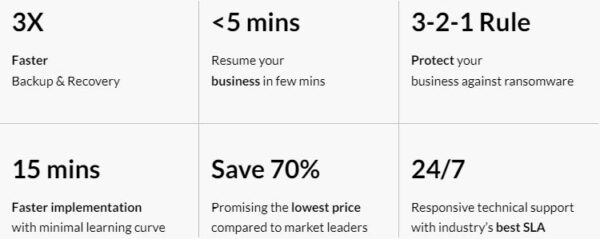
BDRSuite v7.0.0 what's new
The new version 7.0.0 provides new cool features useful to manage daily tasks to achieve the most efficient data protection strategy.
- KVM - Vembu is now able to agentless backup KVM workloads providing versatility in recovery options allowing to restore an entire VM or specific files.
- Azure and AWS - version 7.0.0 supports agentless backup as well as restore options of machines running in Azure and AWS platforms leveraging native cloud APIs. Backups can be stored on local storage devices or in cloud storages, such as Azure Blob, AWS S3, Google Cloud, and S3 Compatible, providing flexibility and reliability of data backup.
- PostgreSQL - BDRSuite v7.0.0 now supports PostgreSQL databases backup ensuring application-level processing to keep databases consistent providing an effective data protection for PostgreSQL database.
- File Share - file shares on NAS devices, Windows, and Linux machines can be now protected leveraging flexible scheduling options, retain backup data, and restore files/folders capabilities.
- Two-Factor Authentication (2FA) - to enforce security, Vembu introduces the 2FA authentication to ensure only authorized users can login to the BDRSuite web console.
- Import Backup Data - in case the Backup Server fails for any reason, processed backups can be imported from the backup repository to a new Backup Server ensuring data availability avoiding service disruption.
- Pre/Post Backup Scripts - if specific tasks must be performed before and after the backup process, BDRSuite v7.0.0 allows to run pre and post backup scripts extending the backup capabilities operations.
- File Level Recovery to Source Machine - files/folders can be directly restored to source machine speeding up and simplifying the recovery process.
In addition to new features provided, Vembu BDRSuite v7.0.0 introduces also some enhancements in the product:
- Databases - backup for Microsoft SQL, MySQL, and PostgreSQL database platforms can be managed centrally.
- Backup Repository - folder path can be added as Backup Repository.
- Agents - backup agents can be deployed directly from the Backup Server.
- Offsite copy - backup copies can now be stored to object storage repositories.
- Tape - introduced the standalone Tape Library support
- Email Notifications - notifications can be sent to specific end user email addresses.
- Report - available the report for missed backup schedule.
System requirements
Vembu BDRSuite v7.0.0 can be installed on the following OSs:
- Windows - Windows Server 2022, 2019, 2016, 2012 R2, Windows 11 & Windows 10.
- Linux - Ubuntu 22.04 LTS, 20.04 LTS & 18.04 LTS (64-bit only).
- Docker deployment - deploy as a Docker container on NAS or Linux Machines (Ubuntu, CentOS, Debian, Fedora, SUSE Linux, and more).
Recommended hardware configuration: 8 vCPU, 16 GB RAM, 1 Gbps and above.
Supported platforms
Vembu solution supports the following environments:
- Virtual platforms - VMware vSphere, Microsoft Hyper-V, KVM.
- Endpoints - Windows, Linux, Mac.
- Cloud - AWS, Azure, Google.
- SaaS - Microsoft 365, Google Workspace.
- Applications - Exchange Server, SQL Server, SharePoint, Outlook, MySQL, PostgreSQL, Oracle.

Available editions
Vembu BDRSuite v7.0.0 comes with three editions:
- Standard - backup and restore VMs.
- Enterprise - provides all Standard edition features plus replication of critical VMs to DR host.
- Free - provides all Standard edition features for free up to 10 VMs.
Licensing
Vembu offers Subscription and Perpetual license models.
- Subscription - license per number of physical host sockets or number of VMs to protect. Technical support included during the subscription period.
- Perpetual - license per number of physical host sockets or number of VMs to protect. Technical support included for the first year.

Upgrade to BDRSuite v7.0.0
Before upgrading the Vembu BDRSuite to v7.0.0, make sure no Backup Jobs are running in the system.
To verify if a direct upgrade is supported, you must check the upgrade path.

Download the upgrade file from Vembu portal and run the installer. Click Next to begin the upgrade.
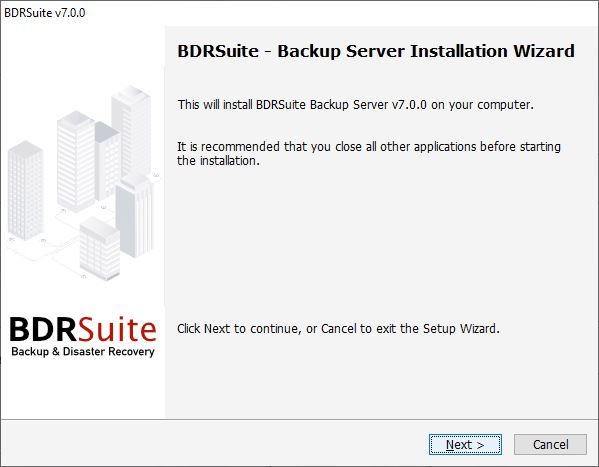
Accept the EULA and click Next.
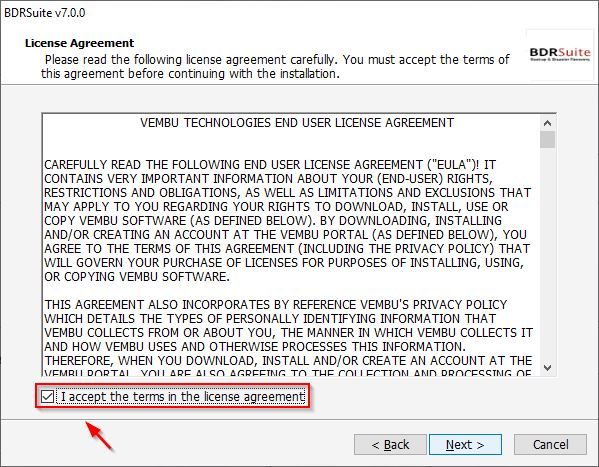
Leave default selection and click Next.

Click Install to proceed with the upgrade.

Click Yes to proceed.

BDRSuite v7.0.0 is being installed.

When the installation has been completed, click Finish to exit the wizard.

Enter the credentials and click Sign in.
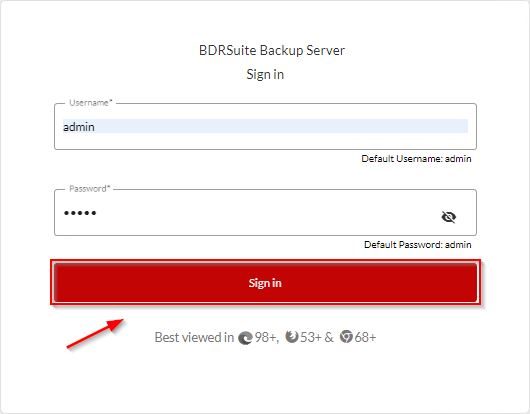
Click Backup Server from main dashboard to access the new features. The upgrade procedure is now complete.

Additional info can be found in the Release Notes. Vembu BDRSuite v7.0.0 is available to download as 30-day trial.


