Quando si tenta di eseguire il rescan di una Veeam Tape Library, l'operazione potrebbe fallire con il seguente errore: VBR isn't current owner.
In genere, il rescan di una tape library viene eseguito per aggiornare il suo stato corrente all'interno dell'infrastruttura di backup.
Tape Library errore "VBR isn't current owner"
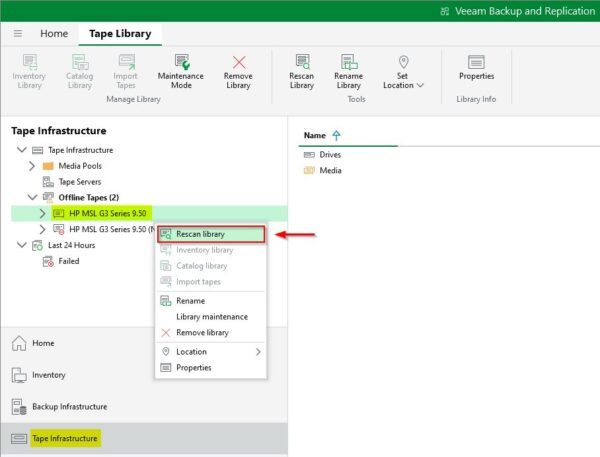
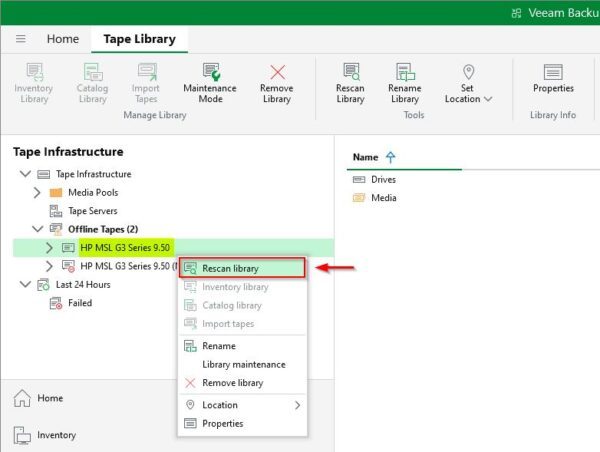
L'errore si verifica durante l'operazione di rescan. Cliccando con il tasto destro sulla Tape Library da processare e selezionare Rescan library.
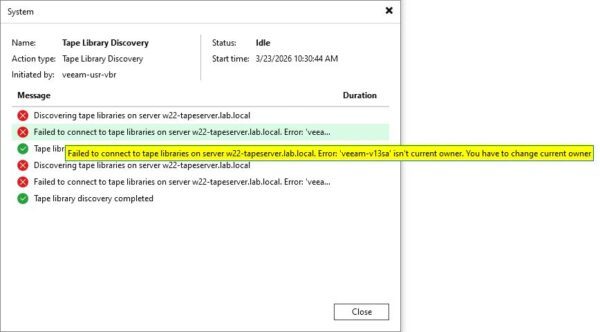
Dopo pochi secondi il sistema mostra l'errore "VBR isn't current owner". Questo accade solitamente perché la Tape Library era stata precedentemente assegnata a un Veeam Backup & Replication Server diverso, e il vecchio record del server assegnato persiste.
Come risolvere l'errore
Per risolvere questo problema, è necessario aggiornare le informazioni sulla proprietà nel Registry di Windows.
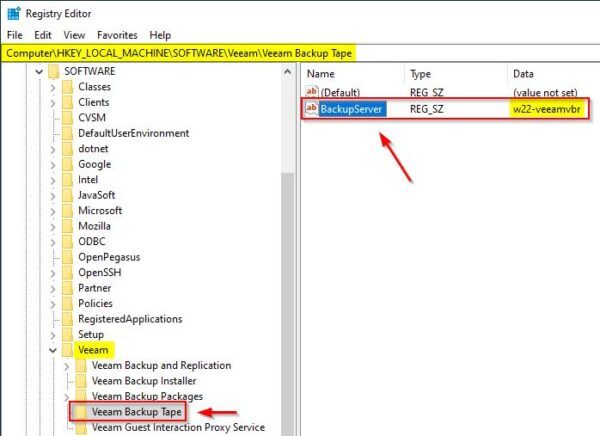
Aprire il Registry Editor sul Veeam Backup Server e navigare fino a HKLM\SOFTWARE\Veeam\Veeam Backup Tape. Individuare il valore stringa BackupServer. Si noterà che probabilmente il nome del server elencato non corrisponde all'attuale Veeam Backup Server.
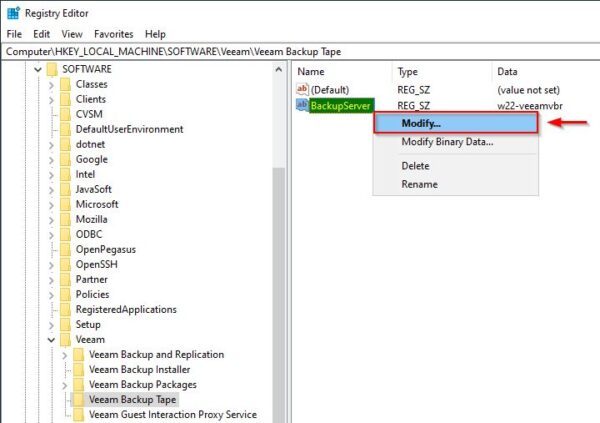
Cliccare con il tasto destro del mouse sulla voce BackupServer e selezionare Modify.
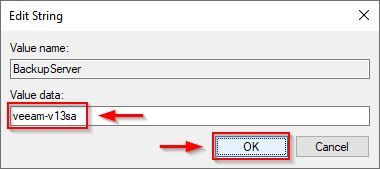
Nel campo Value data, inserire l'hostname o l'indirizzo IP corretto dell'attuale Veeam Backup Server, quindi cliccare su OK.
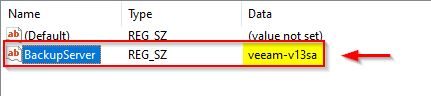
La chiave ora indica il Veeam VBR corretto.
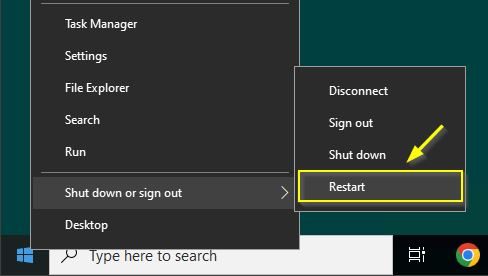
To ensure the new registry values are fully applied, Restart the Veeam Backup Server.
Per assicurarsi che i nuovi valori del registro vengano applicati completamente, effettuare il Restart del Veeam Backup Server.
Una volta riavviato il server, aprire la console di Veeam, posizionarsi su Tape Infrastructure, cliccare con il tasto destro sulla Tape Library e selezionare Rescan library.
L'operazione di rescan dovrebbe ora completarsi correttamente.
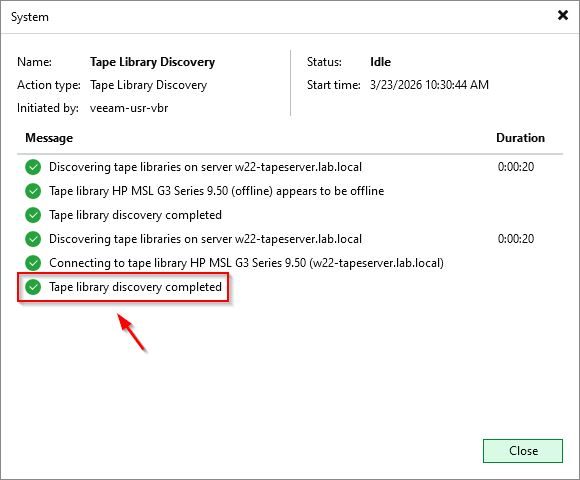
La Tape Library è finalmente collegata in modo corretto al nuovo Veeam Backup Server ed è pronta per archiviare backup sicuri e air-gapped.