The VMs migration from VMware to Proxmox VE platform can be easily accomplished using the backup solution Veeam Backup & Replication.
The uncertain situation of VMware following the Broadcom acquisition is prompting many organizations to migrate their workloads from VMware to Proxmox VE or to other virtualization solutions.
VMs migration from VMware to Proxmox
The migration from VMware to Proxmox can be done in different ways, more or less complicated.
Using Veeam Backup & Replication the migration operation can be an easy task. Starting from version 12.2, Veeam offers full support for the Proxmox VE virtual environment, enabling it to serve as a solution for migrating running VMware VMs to this platform.
Veeam can safely backup and restore Proxmox VMs providing the same capabilities already provided for the supported virtual platforms.
Prerequisites and assumptions
For a successful migration from VMware to Proxmox, there are some prerequisites that must be met:
- A functional Proxmox VE environment is set up and operational.
- Veeam must have the network connectivity to both VMware and Proxmox environments.
- Veeam Backup & Replication is already configured for your VMware infrastructure, including Backup Jobs, Proxies, and Backup Repositories.
- Veeam network connectivity to both VMware and Proxmox environments is established and functional.
Add Proxmox VE nodes to Veeam
First step is the configuration of Proxmox VE nodes in Veeam.
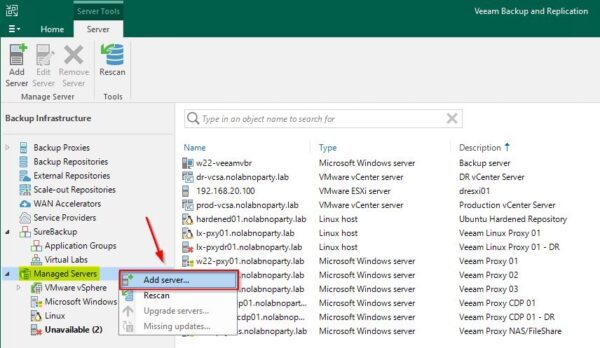
From the Backup Infrastructure area, right click the Managed Servers section and select Add server.
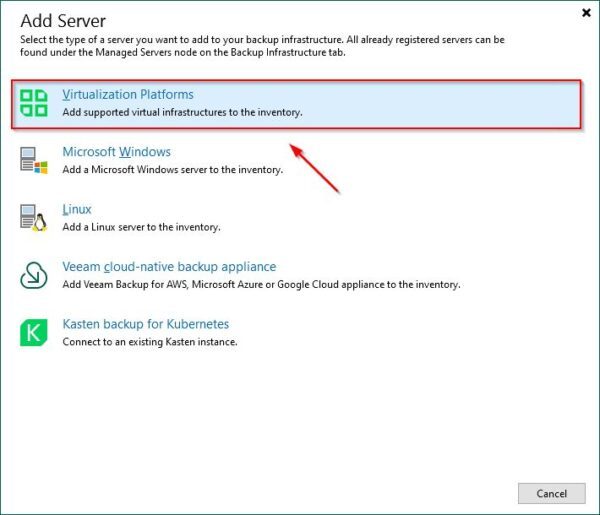
Select Virtualization platforms.
Select Proxmox VE.
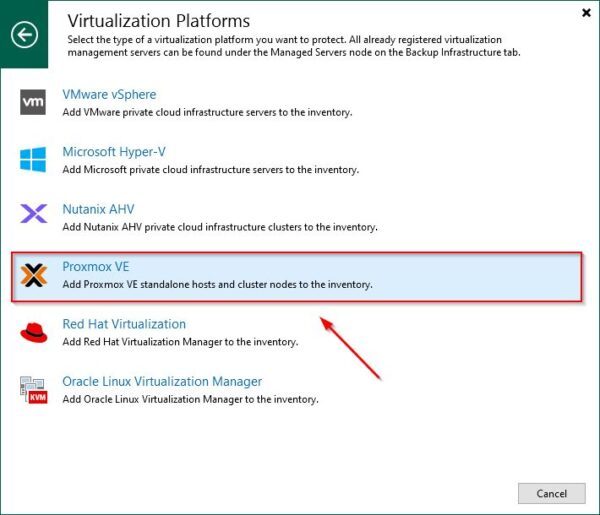
Enter the DNS name or IP address of the Proxmox node then click Next.

This article has been written for StarWind blog and can be found in this page. It covers the full procedure to migrate workloads from VMware to Proxmox with Veeam.
Migration to Proxmox
When the restore operation with Veeam is complete, some post-migration tasks, such as IP Address and DNS update if a different subnet is used, must be performed to ensure the correct functionality.
To finalize the migration, power on the migrated VMs and verify that everything works as expected.
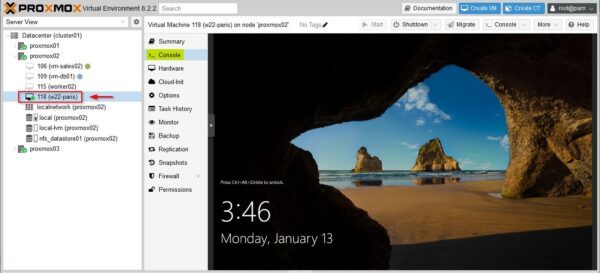
Migrate from VMware to Proxmox summary
Due to the new licensing costs introduced by Broadcom for VMware products, businesses may need to migrate running services to alternative solutions, such as Proxmox, to maintain cost efficiency.
Veeam provides a reliable solution for a straightforward migration from VMware to Proxmox without the hassle of complex configurations.
Veeam Backup & Replication can be downloaded as 30-day trial.
Read the full article on StarWind blog.