


The NFS disconnection bug in the ESXi 5.5 Update 1 (KB2076392) has not been solved yet. The workaround is to uninstall Update 1 to fix NFS issue.
The re-installation of ESXi is not always the optimal solution, especially if you have several hosts in your network.
The downgrade process without reinstalling the ESXi host can be achieved through esxcli as described in the Andreas Peetz’s blog.
Procedure
Enable SSH access on the ESXi 5.5 host.

Note: The ESXi 5.5 build number 1746018 means the host has latest patches already installed (Update 1 + Heartbleed fix).
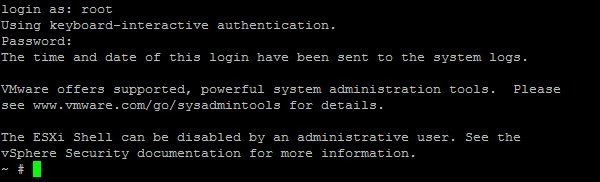
Using an SSH client (e.g. PuTTY), log in to the host.
Open firewall port to allow outgoing http requests.
# esxcli network firewall ruleset set -e true -r httpClient

Install the ESXi 5.5 pre-Updated 1 + Heartbleed Fix Image Profile from the VMware online depot.
# esxcli software profile update -d https://hostupdate.vmware.com/software/VUM/PRODUCTION/main/vmw-depot-index.xml -p ESXi-5.5.0-20140401020s-standard --allow-downgrades

Reboot the host.
# reboot

Once rebooted, the host ESXi 5.5 build number changes to 1746974. This procedure downgrade the host ESXi to 5.5 GA version keeping all security fixes released so far, Heartbleeding fix included.

If you didn't upgrade the host to Update 1, to apply the Heartbleed fix only (without Update 1) you can use same command omitting --allow-downgrades option.


