During the last VMworld Europe VMware announced vSphere 6.5, the latest version of its industry-leading virtualization platform. The new release brings Virtual Hardware v13 and VMs can now support …
In vSphere 6.0 Update 1 a new UI option has been introduced to easily remove all existing data and partitions from existing storage devices in your host. If you want to re-use an existing storage …
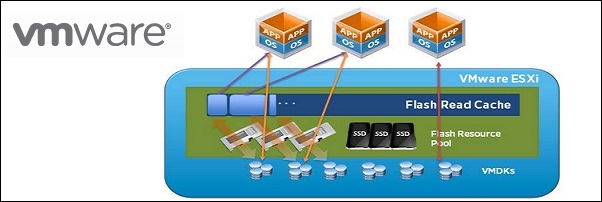
VMware vFlash Read Cache allows to leverage host local SSDs enabling a caching layer for the VMs. No other software or extra VIBs need to be installed on the host …
Fling is a VMware vSphere HTML5 Web Client that can be used to administer the virtual environment although can’t be used as a full replacement of the current vSphere Web Client due to …
VMware has just announced that the VMware vSphere C# Client will be discontinued in the next vSphere release leaving the current Web Client the only available tool to manage the …
The ESXi 6.0 Update 2 has introduced a bug with VMXNET3 vNICs that causes the ESXi to crash. When the host fails it displays a purple diagnostic screen containing …
Trying to add a new NFS datastore in vSphere, the system displays the error message "Unable to create NFS datastore: specified key, name, or identifier already exists". An NFS datastore …
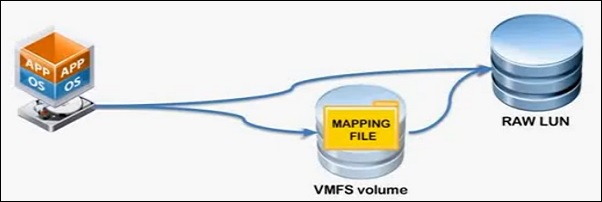
Moving an existing RDM from one virtual machine to another some steps are required to avoid data loss and to keep the disk configuration. The RDM allows a virtual machine to …
VMware released ESXi 6.0 Update 1b where the CBT issue is listed as resolved making the release 6.0 robust enough to proceed with vSphere 6.0 upgrade for those that still …
The installation of the VMware patch to fix the CBT issue found in ESXi 6.0 is not sufficient and you should perform also the CBT reset for all VMs to guarantee consistent backups. This additional step is required since …
This site uses cookies from Google to deliver its services, to customize ads and for traffic analyzer. If you continue browsing we consider you accept the use of cookies.