


Runecast released the new Runecast Analyzer 4.0 introducing the Amazon AWS analysis to help companies on their path to hybrid cloud migration.
This is a big step in the development of this popular product and the new version introduces the well known analisys and best practices already provided for VMware vSphere also for Amazon AWS environment.
Runecast Analyzer 4.0 what's new
Due to the complexity and the high number of features provided by Amazon AWS, it's quite easy to make some misconfigurations. Runecast Analyzer 4.0 analyzes the AWS environment for misconfigurations allowing the administrators to have a better overview of what's going on in their AWS cloud environments simplifying the overall management.
Along with misconfigurations check, Runecast verify also against best practices and security PCI-DSS. In terms of security, the software keeps all sensitive data in your environment since the application runs on-premises only.
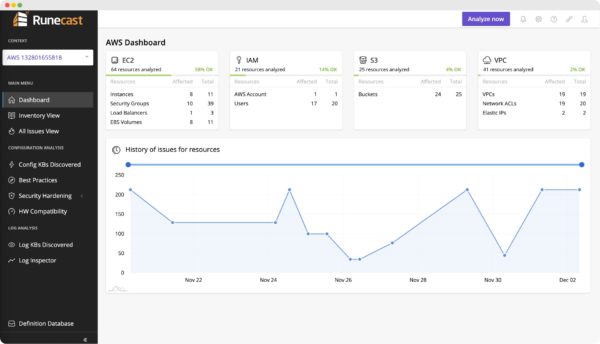
The new version covers on-premises VMware, public cloud AWS as well as VMware Cloud on AWS. Runecast Analyzer automatically provides an analysis of the supported environments detecting proactively potental issues before they actually occur. The following AWS areas are included in the Runecast analysis:
-
AWS Identity and Access Management (IAM) - used to manage access to Amazon Web Services and resources securely.
-
Amazon Elastic Compute Cloud (EC2) - provides scalable computing capacity in the AWS cloud.
-
Amazon Virtual Private Cloud (VPC) - enables you to launch AWS resources into a virtual network that you've defined.
-
Amazon Simple Storage Service (S3) - is the object storage in the cloud you can use to store and retrieve data at any time and from anywhere on the web.
Upgrade to version 4.0
To manually upgrade Runecast Analyzer, you need to access the Runecast console from vSphere Client. A step-by-step procedure to upgrade Runecast Analyzer to version 4.0 can be found in this post.
Connect Runecast to AWS
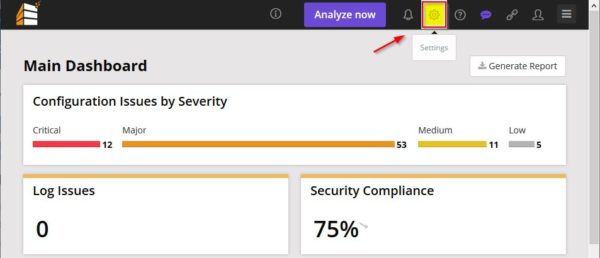
To connect Runecast Analyzer 4.0 with your AWS environment, from the Runecast's Main Dashboard click on Settings icon.
Select Connections tab.

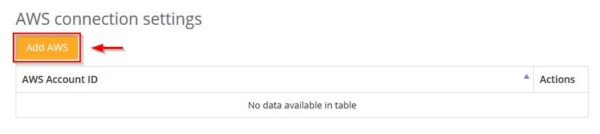
Under AWS connection settings click Add AWS.
Enter the Access Key ID and the Secret Access Key then click Continue.

Click Finish to connect.

The specified account has been connected successfully.
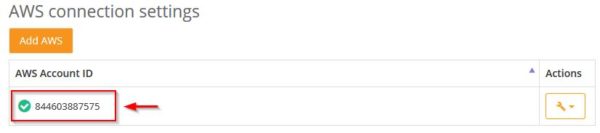
In the Main Dashboard, from the drop-down menu select the configured AWS system to analyze then click Analyze now button.
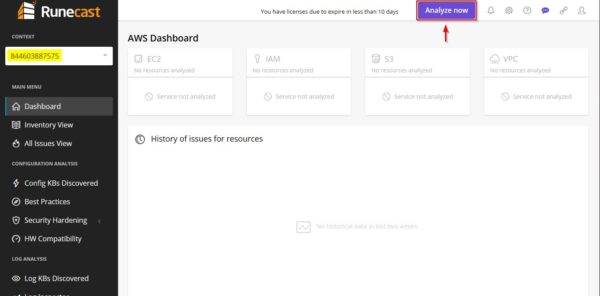
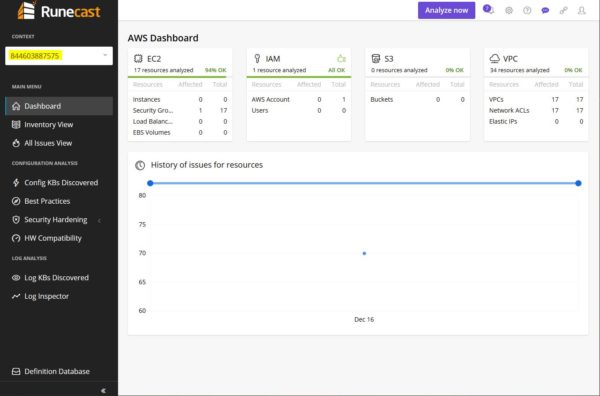
After few seconds the AWS environment analysis is complete and the results are displayed in the AWS Dashboard.
Runecast Analyzer 4.0 is available to download as 14-days trial.


