


Broker Service and Proxy Affinity are two new features introduced in Veeam Backup and Replication 9.5 that play an important role during backup jobs.
Services that work behind the scene are often overlooked because their role is unclear or not well known but they help to improve overall performance optimizing the processes.
Broker Service
The Broker service it's a new feature introduced in the 9.5 release that solve the problem of the time requested to retrieve data from the virtual infrastructure.
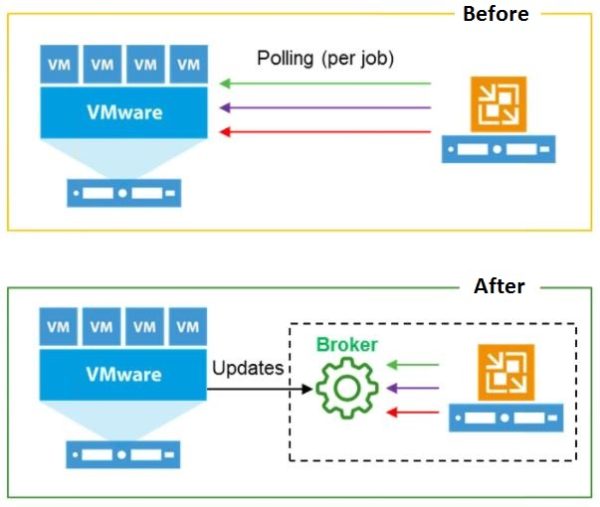
In previous versions, time needed by Veeam to query the vCenter during the configuration or the execution of a backup job to build the VMs list was pretty long.
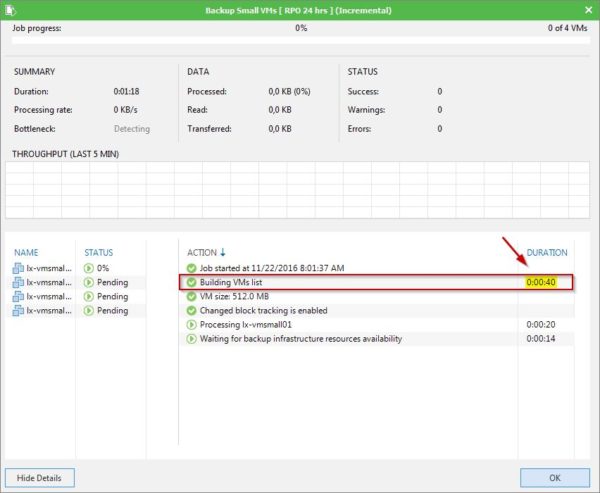
This new service makes the connection faster between the console and the virtual infrastructure building a cache of the infrastructure to the Broker service. Same task executed in the new release with the Broker service really takes few seconds to get the information.

The Veeam Broker log is stored in the folder:
C:\ProgramData\Veeam\Backup\Svc.VeeamBroker.log file.
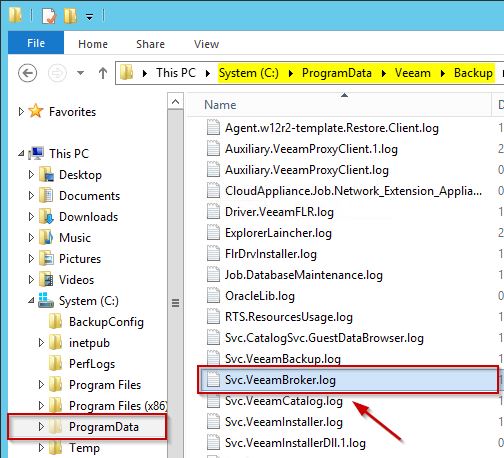
Analyzing the log, you can follow the steps performed by the service:
- Loading
- Processing
- Updating

Every change in vSphere vCenter related to Veeam is cached. The cache is created as soon as the service starts and when you open the console, the cache is already available.
VMware changes are pushed in real time from the vCenter Server and every 60 seconds Veeam queries vSphere to get the updates. If the service is restarted, the loading process starts again.
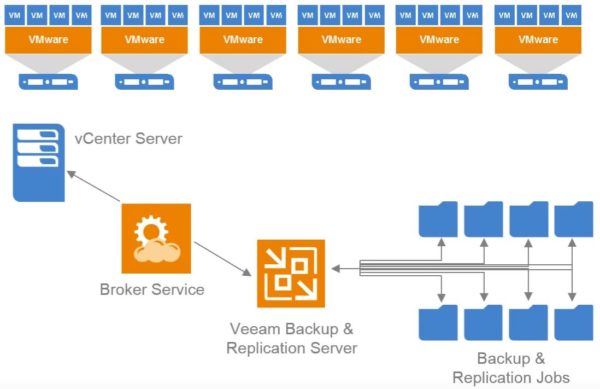
The Broker service is installed as a Server component and must be up and running before a backup job takes place. If the service is not running, the backup fails.

If the Broker service crashes after a backup job has started, the backup job is not affected and can complete successfully.

When a backup is executed, the job doesn't rely on the Broker service cache but it creates its own copy and uses such copy to complete the task.
Proxy Affinity
Proxy Affinity is a backup repository property used to optimize traffic between backup proxies and backup repositories. It determinates what backup proxies can access a specific backup repository in read/write mode allowing the control assignment of resources in the backup infrastructure.

Proxy Affinity settings are specified at the level of a backup repository and you can define a list of backup proxies that can access the backup repository. Rules are not applied for replication jobs.
This feature can be enabled for the following backup repositories:
- Simple backup repositories
- Scale-out backup repositories
- Cloud repositories (proxy affinity settings are configured on the tenant side)
Enable Proxy Affinity
To enable this feature, right click the backup repository to process and select Proxy Affinity.
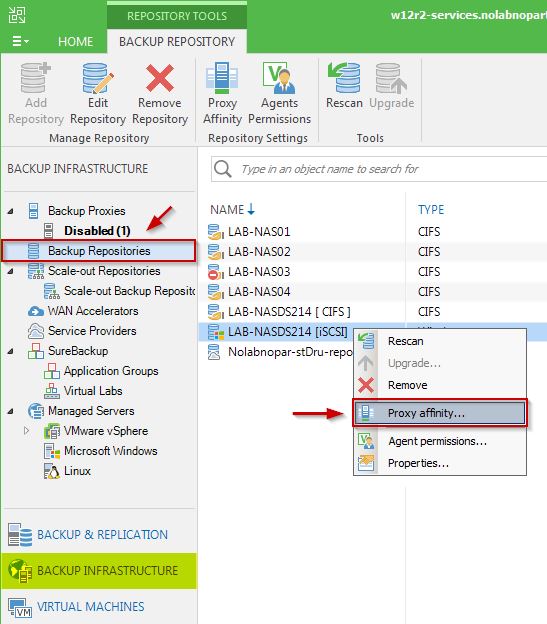
Select Only the following backup proxies can access this repository option and specify backup proxies you want to bind to the backup repository. Click OK to confirm.

In case of Scale-Out Backup Repository, you can configure Proxy Affinity settings at the extent level and if the extent is not available, the feature can't be enabled.

Keep in mind that if the backup proxy changes, all the jobs associated to that specific proxy have to be changed as well.





Thanks great info, I understand better the functionality of these two Veeam Components