


Using security systems that make use of ClamAV, you may receive the ClamAV update error while downloading the daily definitions update.
The error occurs when ClamAV tries to update the signatures and one recent incremental update experienced a problem corrupting the file daily.cld involved in the process.

To fix this matter is necessary to delete two files to restore the functionality.
- mirrors.dat
- daily.cld
Delete corrupted files
In CentOS Linux distribution, the files are located in the directory:
/var/lib/clamav
# cd /var/lib/clamav
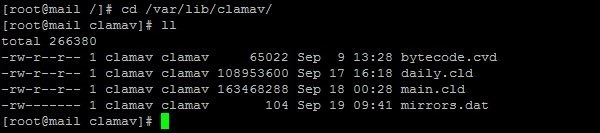
Rename the two files. Actually you can delete both files, I keep them just for security.
# mv mirrors.dat mirrors.dat.old
# mv daily.cld daily.cld.old

Manually update ClamAV
Once files have been deleted, manually update ClamAV using the freshclam command in order to rebuild the mirrors list and the signatures.

When the update completes successfully, delete the two files previously renamed no longer necessary.
# rm *.old

ClamAV is now able to perform scheduled updates via cron.


