To replace SSL certificate for the AD FS Server in a Office 365 environment, you need to perform some actions to re-establish the proper functionality. When the SSL certificate expires, the Office …
Softerra Adaxes is a product that directly talks with Active Directory providing automation for user provisioning and de-provisioning making the administration process quick and easier. Administering Active Directory it's a critical …
Once the ADFS 3.0 infrastructure has been installed and configured, the last step of the procedure is the Office 365 deployment. Two ways can be used to deploy Office …
Directory Sync tool is an ADFS 3.0 component that provides directory synchronization between a Active Directory (On-Premise) and Office 365 (Windows Azure Active Directory). Configuring DirSync and Active Directory …
Installed both ADFS and WAP servers, next step of the ADFS 3.0 setup covers the federation process with Office 365. The procedure requires two components to install in the …
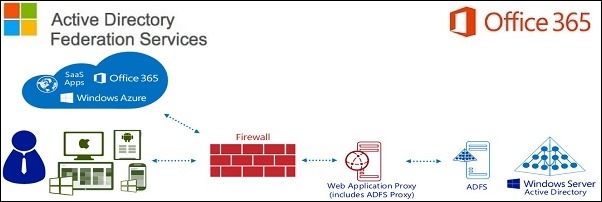
To perform SSO with Office 365 outside the LAN, we need to configure the ADFS 3.0 service adding a WAP server placed in the DMZ zone. The Windows 2012 …
To continue with ADFS 3.0 setup, once imported the signed SSL certificate returned from the CA, the ADFS role must be installed in the current ADFS server. Depending on …
ADFS 3.0 for its implementation requires a dedicated SSL certificate to be installed in the ADFS servers to provide users with single sign-on access to Office 365 platform. If you plan to implement …
To enable Single Sign-On with Office 365, ADFS 3.0 is the service to be configured to implement the federation process with Office 365. The high availability concept becomes a …
Final steps to migrate Active Directory to Windows 2012 R2 include the decommission of the first 2008 R2 DC migrating the DHCP to the new Windows Server 2012 R2 …
This site uses cookies from Google to deliver its services, to customize ads and for traffic analyzer. If you continue browsing we consider you accept the use of cookies.